↑↑↑ Create an account with Kraken. ↑↑↑
Showing posts with label English. Show all posts

Friday, March 5, 2021

How to stake Polkadot in Kraken

Please read the disclaimer first.

Now that I own Polkadot (DOT) in Kraken, I can do fun things with it.

Since I don't intend to trade or sell DOT for now, staking it is the best deal.

"Staking" a cryptoasset is like a CD you do at a bank.  You can do it for "Proof-of-Stake (PoS)" type currencies like DOT.  Bitcoin (BTC) is a "Proof-of-Work (PoW)" type, so you can't stake it.  So by locking down, or "staking" part of your DOT, you will receive a staking reward, much like interest.  It's actually analogous to mining fees in PoW currencies, a reward for participating in the crypto-infrastructure.

Enough jargon, let's get to it.  Here is how to stake cryptoassets in Kraken.

Go to "Staking" in the top menu, and click "STAKE" on the currency you want to stake.  DOT offers 12% APR in Kraken!  Of course, it's not FDIC insured.

Enter the amount you want to stake.

You can click one of the easy buttons for quarter increments.  I'm going all in!

Staking initiated!

Boom!  Success.

E-mail from Kraken, "Kraken Staking - Funds Staked".

The rewards are distributed on Mondays and Thursdays.

Here are my rewards so far.  Roughly 0.23% weekly, compounds to 12.7% APR!  :)
(You might also notice that DOT price is going up as well.)

The awesome part about Kraken, is that there is no locking period, and you can get in and out of staking within minutes.  This is another benefit of choosing a crypto-exchange with a huge market share.  :)

Wednesday, February 24, 2021

How to convert Bitcoin to Polkadot in Kraken

Please read the disclaimer first.

Now that I have funded my Kraken account with Bitcoin (BTC), I can finally convert it to Polkadot (DOT).

Click on "Prices" from the top menu.  You can change the base currency from the dropdown to XBT (Bitcoin), to see the exchange rate.

Click on "BUY/SELL" to start.

Click on "Convert", since I'm converting from Bitcoin in the wallet.

From "Bitcoin", you can search "dot" to find "Polkadot".  I wish it would prepopulate this from the row I clicked "BUY/SELL" on...  :(

Enter Amount and click "Preview convert".  I'm going to put 2/3 of my balance in DOT.

Confirm your order, and click "Convert now".

Done!  Click "View receipt" to see what happened.

Here's the transaction receipt.

E-mail from Kraken, "Polkadot - Purchase successful".

Shows up in balances at the top page.  :)

If you scroll down, the transaction shows in Ledger section.  You can also see this information from the "History" menu.

Wednesday, February 17, 2021

Receiving Bitcoin into a Kraken Wallet

 Please read the disclaimer first.

Now that I have opened a Kraken account, I can start investing in crypto-assets like Bitcoin (BTC).

Since I already have some BTC in Coinbase, I will use that to fund my Kraken account.

Go to "Funding" in the menu, and click on "Deposit" on the Bitcoin (XBT) row.  Kraken uses funky symbols for some reason, and Bitcoin is XBT.

Click the "Acknowledge" button, yes I am responsible for typing in the right address.

Click "+ GENERATE NEW ADDRESS" to create the receiving address.

Boom!  Easy-peasy.  :)
Click on "QR Code" to generate one if you're using smartphones to send.

Here's the QR code.

I sent my Bitcoin from Coinbase.

Still confirming.  It takes 4 confirmations before I can use it in Kraken.  So roughly 40 minutes?

E-mail from Kraken, "Kraken - Successful Deposit".

Aaand it's ready!  :)

I can now use this BTC for trading, buying other crypto assets, margin for leveraged trades, etc.

Thursday, February 11, 2021

How to open a Kraken exchange account

Please read the disclaimer first.

So I blogged that I was going to diversify my crypto assets from Bitcoin (BTC) to Polkadot (DOT) on the Kraken exchange.


Here are the step-by-step instructions on how to open an account.

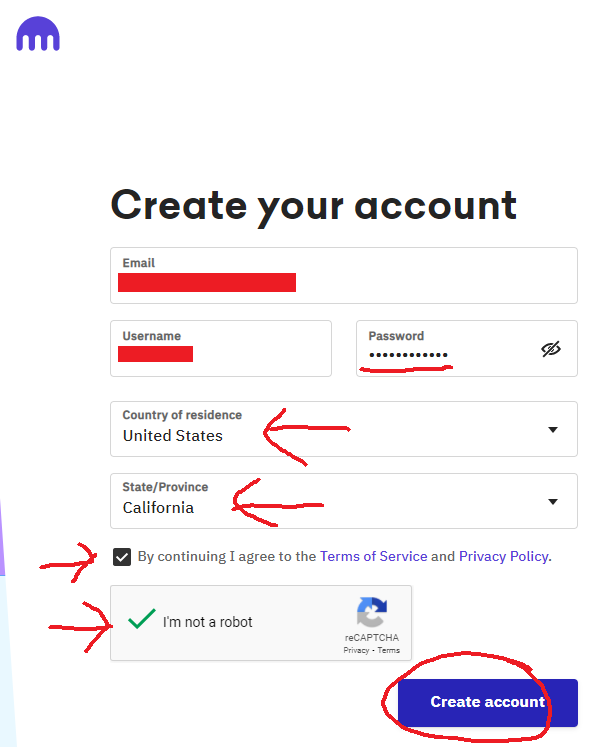
Create an account with Kraken.

Enter your e-mail, desired username, password, country of residence, and state/province.  Your password must be at least 12 characters long, and contain a letter, number, and special character.  Check the box for "Terms of Service", and prove you aren't a robot.  Click on "Create account" to continue...

An e-mail will be sent to you.

Here it is, subject "Activate Your Kraken Account", from "Kraken <noreply AT kraken DOT com>".  Click on the link to activate.

Pum pum pum...

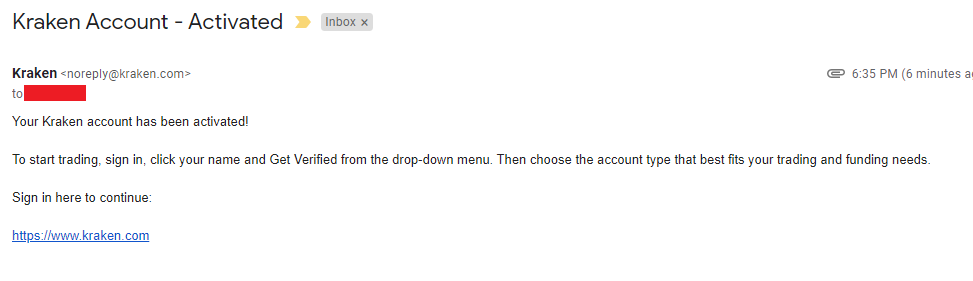
E-mail from Kraken, "Kraken Account - Activated".

Tada!  Click on "Verify Your Account for Crypto".

Starter is good enough for now, click on "Verify".

Enter your personal information, and click "Next".

Status is now "Pending".

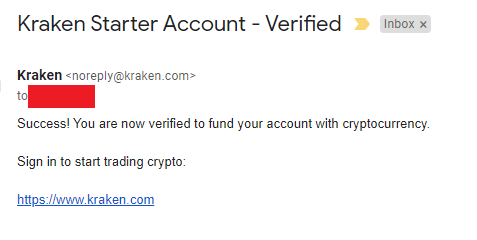
E-mail from Kraken, "Kraken Starter Account - Verified".

Status is now "Verified".

You can come back here by clicking your name on the top-right, and selecting "Get Verfied", in case you want to upgrade.

To buy crypto assets directly on Kraken, you need to be "Intermediate" level.  This requires a photo ID (like a driver's license or passport),  and a tax ID (like SSN or ITIN).


2 Factor Authentication is always a good idea.

Click your name on the top-right, and click "Security" then "2FA Settings".

It is required for Sign-in.  Click "Activate now".

Scan the QR code from your 2FA app, and enter the 6 digit number you get, and click "Confirm".  I used Google Authenticator, available for Android and iPhone devices.

If you click "View setup key", you will see a bunch of letters and numbers.  Copy this to a safe place, in case you have to set up your 2FA app from scratch.

All set.  You can do the same for Funding and Trading as well.  Each one will be a new entry in the 2FA app.

E-mail from Kraken, "Kraken Security - 2FA Method Updated".


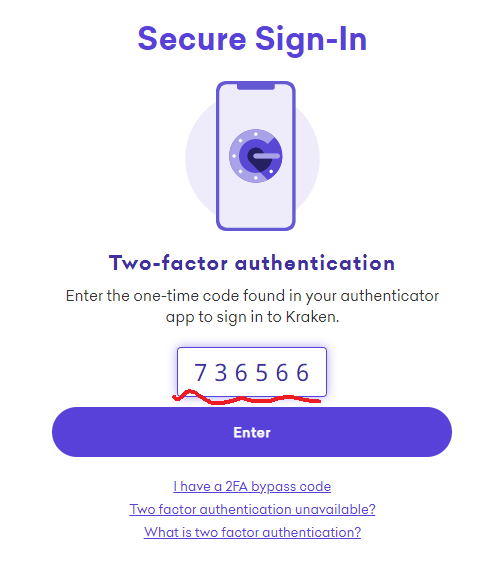
From the next time you sign in to Kraken, you will need to enter your 6-digit code.